Fast Duplicate File Finder- Tool to Reclaim Your Storage Space
Meta Description: Discover Fast Duplicate File Finder for Windows—a powerful tool to identify and remove duplicate files using byte-by-byte comparison, previews, and safe deletion.
Introduction
In the digital age, storage space is a precious commodity. Whether you are a professional video editor, a photographer, a gamer, or simply someone who has accumulated years of files, duplicates are an inevitable and frustrating problem. They silently eat up your hard drive space, slow down backups, and make it harder to find what you are looking for.
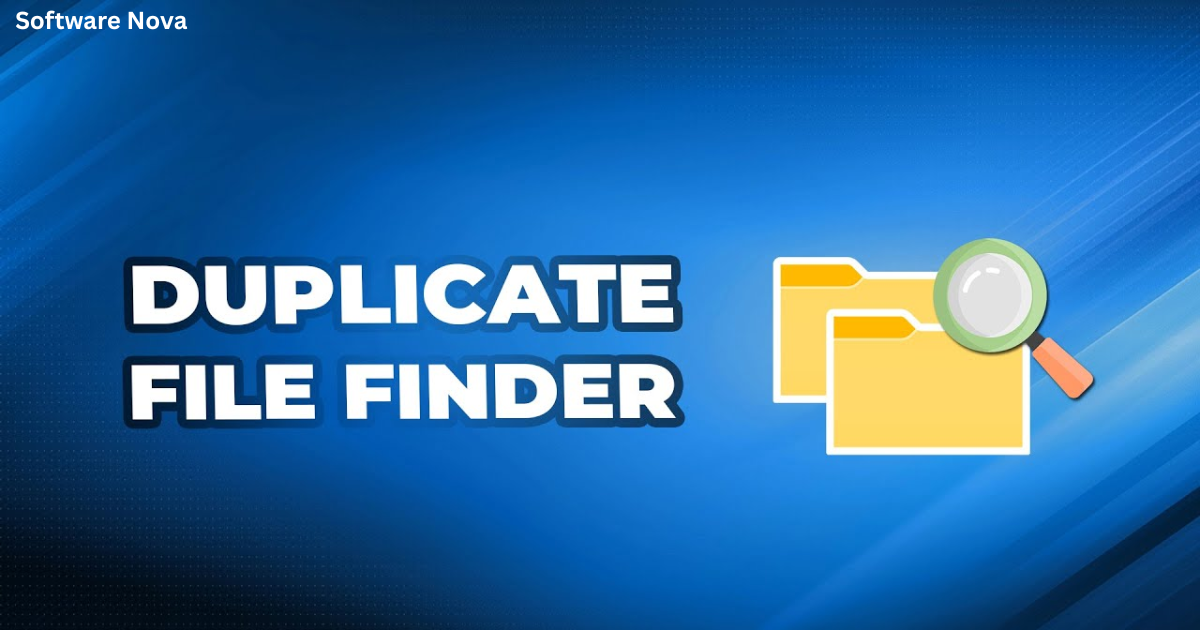
The solution is Fast Duplicate File Finder (FDFF) . This powerful utility (version 6.0.0.1) is designed to tackle even the most stubborn duplicate clutter. Unlike simple file name checkers, FDFF uses advanced algorithms to find true duplicates and similar files, giving you precise control over your storage cleanup.
In this comprehensive guide, we will explore the features, benefits, and best practices of using Fast Duplicate File Finder. Whether you need to clean up a single folder or scan your entire network drive, this tool can help you reclaim your storage and bring order to your digital life.
What is Fast Duplicate File Finder?
Fast Duplicate File Finder is a professional-grade utility for Windows that specializes in locating and managing duplicate files. Its core philosophy is accuracy. Instead of relying on file names or superficial metadata, the software employs a byte-by-byte comparison. This means it reads the actual data within a file to determine if two files are exact clones.
This approach ensures that you are only removing true duplicates and not accidentally deleting files that just happen to have similar names or sizes. The tool is built for users who need precision—from professionals managing large media libraries to everyday users looking to free up gigabytes of space.
Key Features of Fast Duplicate File Finder
1. Content-Level Duplicate Detection
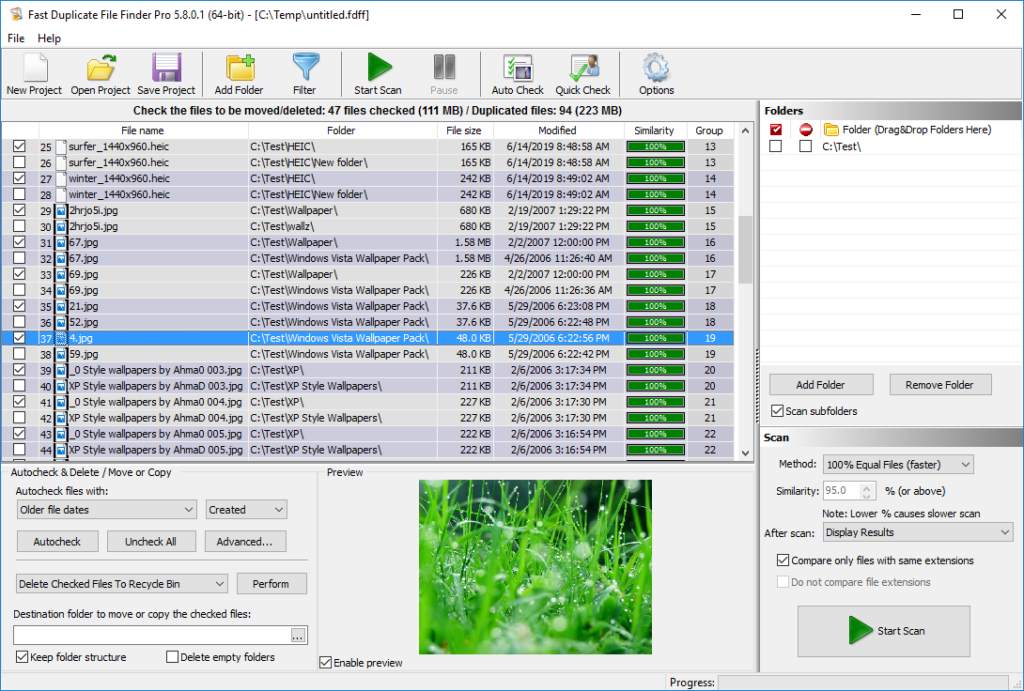
This is the engine that powers the software. FDFF uses a robust binary comparison algorithm to scan the actual contents of files. This allows it to catch duplicates that have different names, different timestamps, or are located in different folders. This is the most reliable method for finding duplicates, ensuring that you don’t accidentally delete important files that only share a filename.
2. Similarity Mode (Near-Duplicate Detection)
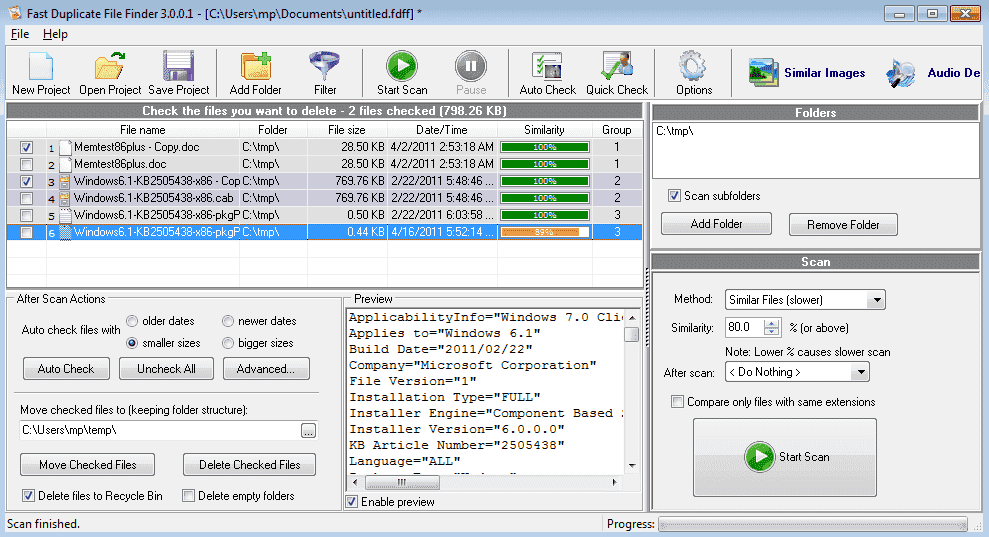
Beyond exact duplicates, FDFF offers a powerful similarity mode. This feature is invaluable for professionals working with images, videos, or audio. It can identify near-duplicates such as:
- Edited versions of the same image or video (e.g., resized, cropped, or color-corrected files).
- Multiple exports of the same project (e.g., different renders from the same source file).
- Proxy renders and alternate exports that have accumulated over time.
This feature allows you to clean up your media libraries, keeping only the final, necessary versions.
3. Internal Preview for Informed Decisions
One of the biggest fears when deleting files is making a mistake. FDFF addresses this with its built-in preview feature. Before you delete or move a file, you can view it directly within the application. The software supports a wide variety of file types, including:
- Images (JPG, PNG, BMP, etc.)
- Videos (AVI, MP4, MOV, etc.)
- Music (MP3, WAV, FLAC, etc.)
- Text and binary files
This preview ensures you know exactly what you are deleting, significantly reducing the risk of losing important data.
4. Auto-Check and Smart Rules
Scanning a large library can return hundreds or thousands of duplicates. Manually selecting which ones to delete would be overwhelming. FDFF streamlines this with an intelligent auto-check selection feature. By default, it will automatically select all duplicates except for one “safe original” per group. You can also customize the auto-check rules:
- Keep the oldest or newest file: Retain the oldest copy or the most recently modified version.
- Keep files in a specific location: Prioritize files in a particular folder.
- Keep files by name: Prefer a specific naming scheme.
These customizable rule-based markings allow you to create a repeatable and reliable cleanup workflow.
5. Granular Filtering Rules
FDFF gives you control to narrow your search with powerful filters. You can limit the scan to:
- Specific file types: (e.g., only scan for .MP4 or .JPG files).
- File size: (e.g., ignore files smaller than 1MB).
- Path: (e.g., only scan a specific hard drive or folder).
- Date: (e.g., only scan files modified in the last year).
This ensures that your scans are targeted, making them faster and more relevant to your specific cleanup goals.
6. Multiple Output Actions
Once the duplicates are identified, FDFF gives you several safe options for dealing with them:
- Move to Recycle Bin: The safest option, allowing you to recover files if you make a mistake.
- Delete Permanently: For a thorough cleanup.
- Move to a Custom Folder: This is excellent for reviewing files before permanently deleting them.
7. Export and Auditing Capabilities
For professionals and teams who need to track their cleanup efforts, FDFF supports exporting results via CSV/XML. This creates a detailed audit trail of your scans and actions, which is crucial for reporting and maintaining a clean storage environment.
Benefits of Using Fast Duplicate File Finder
1. Reclaim Precious Storage Space
The most obvious benefit is freeing up disk space. You will be surprised how many duplicates are lurking across your drives, especially in backup folders, download folders, and media libraries.
2. Faster Backups and Syncing
When you remove duplicates, there are fewer files to back up. This can significantly reduce the time it takes to perform system backups or sync files with cloud storage services.
3. Better Organization
A clean file system is a more manageable one. Removing duplicates simplifies your directory structure, making it easier to find the files you need.
4. Maintain Data Integrity
For teams and professionals, removing duplicates ensures that everyone is working from the correct version of a file. This reduces confusion and prevents the “which file is the latest” problem.
Who Can Benefit from This Tool?
- Media Professionals (Video Editors, Photographers): Use the similarity mode to clean up duplicate photos, video clips, and project files.
- IT and System Administrators: Use CSV/XML exports and command-line automation (in Pro) to integrate deduplication into regular storage maintenance.
- Backup Managers: Eliminate duplicate files across multiple backup drives.
- General Users: Anyone with a cluttered hard drive who wants to free up space quickly and safely.
Performance and Accuracy
The software’s performance is a key feature. It is built for speed, even when scanning very large libraries of footage, mods, and project assets. The algorithm is optimized for precision and performance. However, it is important to note that deep scans on huge media sets can naturally take longer. The software offers process priority settings, allowing you to run intensive scans in your computer’s idle time.
Safety Features
- System File Protection: The software protects critical system files and folders, preventing accidental deletion that could harm your operating system.
- Preview Before Deletion: The internal previewer is your first line of defense against accidental deletion.
- Move to Recycle Bin: The default action is to move files to the Recycle Bin, providing an easy way to undo mistakes.
Pros and Cons
Pros
- Accurate Detection: Byte-by-byte comparison ensures reliable, true duplicate identification.
- Similarity Mode: Unique ability to find near-duplicate media files.
- Safe Cleanup: Features like auto-check, preview, and Recycle Bin support.
- Powerful Filters: Customizable scans by type, size, path, and date.
- Audit Capabilities: Export results via CSV/XML.
Cons
- Deep Scans Take Time: Comprehensive scanning of very large drives can be slow.
- Initial Rule Setup: Creating the perfect filtering rules requires some learning.
- Similarity Thresholds: May need tuning depending on your media library.
Frequently Asked Questions (FAQs)
1. What does Fast Duplicate File Finder do?
Answer: Fast Duplicate File Finder is a utility that scans your hard drives, folders, and networks to identify and remove duplicate files. It uses a byte-by-byte comparison algorithm to find true duplicates and advanced similarity detection for near-duplicate media files.
2. Is Fast Duplicate File Finder free?
Answer: The software offers a free version with core functionality. More advanced features, such as some filtering options and command-line automation, are available in the Pro version. Many users find the free version sufficient for standard cleanup tasks.
3. Does it work on Windows 10/11?
Answer: Yes, the software is fully compatible with Windows 10. It also supports a wide range of other operating systems, including Windows 11, Windows 7, Windows Vista, and Windows Server editions.
4. What is the difference between “Byte-by-Byte” and “Similarity” scans?
Answer: A byte-by-byte scan is a precise comparison, only identifying files that are 100% identical. A similarity scan (often called near-duplicate detection) identifies files that are highly similar but not identical, such as edited versions of the same photo, which is invaluable for media professionals.
5. Is it safe to delete duplicate files found by the software?
Answer: Yes, it is designed to be safe. It offers multiple layers of protection. First, you can preview files before deletion. Second, it provides the option to move duplicates to the Recycle Bin instead of permanently deleting them. Third, it has built-in protection for critical system files.
Conclusion
Fast Duplicate File Finder is a reliable and powerful solution for one of the most common digital problems: file clutter. Its commitment to precision through byte-by-byte comparison, combined with advanced features like similarity detection, internal previews, and customizable filters, makes it a versatile tool for professionals and home users alike.
The software is built for serious use cases, from managing massive media libraries to maintaining clean and efficient backup systems. While it requires some initial setup to get the most out of its features, the payoff is a cleaner, faster, and better-organized storage system. For anyone serious about reclaiming their storage space and maintaining data integrity, Fast Duplicate File Finder is an excellent choice.